 Ages 7+
Spelling bee practice
SpellChamp
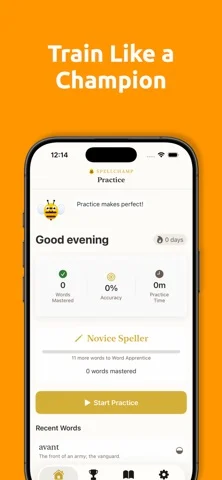
Hear the word. Learn its meaning. Step up to the mock bee. Build a spelling practice habit with a coach in your pocket.
Explore SpellChampLittle learning moments. On iPhone & iPad.
A tricky word. An “aha!” in math. A first savings goal. Find a BrightKit app for the things your child is ready to discover.
8 learning apps · Free to download · In-app purchases
FOLLOW THEIR CURIOSITY
Start with what interests them.
Make a little room for learning.
Showing all 8 apps
Ages 7+Spelling bee practice
Hear the word. Learn its meaning. Step up to the mock bee. Build a spelling practice habit with a coach in your pocket.
Explore SpellChamp Grades 1–12
Math competition practice
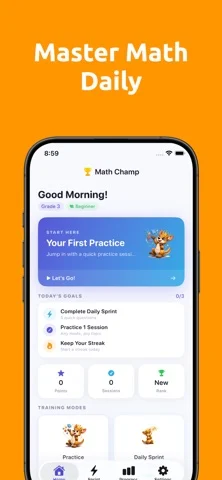
Explore competition-style math with guided hints, worked solutions and challenges that reward thinking.
Explore MathChamp Ages 8–16
Money skills for real life
Turn allowance, savings goals and everyday choices into conversations about money—with a parent alongside.
Explore Kidonomic Grade 1
Everyday Grade 1 practice
Short Grade 1 quizzes across math, science, language and general knowledge. Pick a subject and make a little room for learning.
Explore Grade 1 Quiz Grade 2
Everyday Grade 2 practice
Short Grade 2 quizzes across math, science, language and general knowledge. Pick a subject and make a little room for learning.
Explore Grade 2 Quiz Grade 3
Everyday Grade 3 practice
Short Grade 3 quizzes across math, science, language and general knowledge. Pick a subject and make a little room for learning.
Explore Grade 3 Quiz Grade 4
Everyday Grade 4 practice
Short Grade 4 quizzes across math, science, language and general knowledge. Pick a subject and make a little room for learning.
Explore Grade 4 Quiz Grade 5
Everyday Grade 5 practice
Short Grade 5 quizzes across math, science, language and general knowledge. Pick a subject and make a little room for learning.
Explore Grade 5 QuizBEYOND THE APP
Help them ask better questions about it. Explore our AI literacy curriculum for ages 7–14.
Explore AI literacy →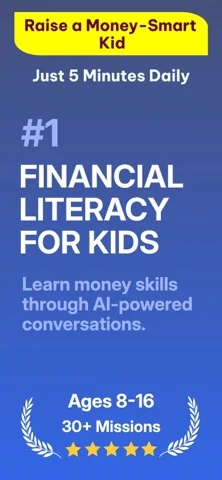 Meet their next “aha!”
SMALL STEPS. REAL LIFE.
A spelling bee coming up? A new interest in money? Start with a real question, not a long to-do list.
Sit together for a short practice round. Let them think, make a mistake, and try another way.
Spot that word in a book. Count change at the store. Make what they learn part of the day.
FOR THE GROWN-UPS
GOOD QUESTIONS
Clear answers for parents.
No big promises. Just the details.
Yes. All eight apps are listed for iPhone and iPad. Minimum OS requirements differ: Grade 1–5 Quiz requires iOS or iPadOS 15.0+, SpellChamp and MathChamp 17.0+, and Kidonomic 17.6+. Check the App Store listing for the latest compatibility.
Choose SpellChamp for spelling practice, MathChamp for competition-style math, or Kidonomic for money skills. For a mix of subjects, choose a Grade 1–5 Quiz app based on your child’s current learning level.
The apps are free to download and offer in-app purchases. Free features and paid options differ by app. Check the current App Store listing and in-app purchase screen for your region before purchasing.
BrightKit is a collection of eight separate learning apps, plus a browser-based AI literacy curriculum. Download the app that fits your child’s interests. Purchases are specific to each app unless its purchase screen explicitly says otherwise.
Requirements and privacy disclosures vary by app. Review the individual App Store privacy label and linked privacy policy, especially for voice or AI features. We do not make a collection-wide promise that every feature works offline or collects no data.
One small spark is a lovely place to start.
Explore the apps →